Dec 2025

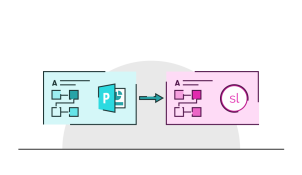
    Keeping track of all your company slides is a challenge, especially if you don’t have a proper intranet or server system. SlideKick is PowerPoint add-in that manages presentation content for a flat annual fee. It helps you to make your presentation assets readily available to other users, give everyone the most current information, and quickly search within content.

    Dec 2025
    • Comments: 15

    The design choices we make in our presentations all form a kind of shorthand through which our audiences recognise our brand and get a feel for the message we’re aiming to communicate. The same goes for the fonts we use. But how do we pick the right one?

    Dec 2025
    • Comments: 2

    Have you ever noticed that when you’re travelling on a train, watching the world go by, the trees and plants close by seem to rush past in a blur but the hills in the distance barely seem to change? Welcome to the world of parallax scrolling. Read on to find out how to make this cool effect just using PowerPoint.

    Dec 2025
    • Comments: 27

    Google Slides has a lot of useful tools for presentation creation and collaboration, but if you want to improve your performance and add extra functionality, add-ons can come in really handy. Here is a list of our favourite Google Slides add-ons and how they help us hack our productivity on a daily basis!

    Dec 2025

      PowerPoint morph is a magic little PowerPoint transition that’s been around for a while now. As the world gradually discovers just how useful it really is, it’s turning out to be the gift that keeps giving. In the third of our trilogy of morph tutorials, learn how to make a cool cut-away effect.

      Dec 2025
      • Comments: 1

      Articulate Storyline 360 is a great tool for producing interactive eLearning content. A particularly useful feature allows you to import your pre-designed slides, so that you can convert PowerPoint to Storyline and turn your presentations into beautiful eLearning, saving you time and effort. We’ve put together our top five tips for converting PowerPoint slides to Storyline.

      Dec 2025
      • Comments: 2

      PowerPoint morph is a magic little transition that’s been around for a while now. As the world gradually discovers just how useful it really is, it’s turning out to be the gift that keeps giving. In the second of our trilogy of morph tutorials, learn how to make a lens reveal effect.

      Dec 2025
      • Comments: 5

      We’ve compiled a list of the most used - and most useful - keyboard shortcuts for Google Slides, so you can create amazing presentations that are quicker, smarter and slicker than ever before!

      Dec 2025
      • Comments: 6

      PowerPoint morph is a magic little PowerPoint transition that’s been around for a while now. As the world gradually discovers just how useful it really is, it’s turning out to be the gift that keeps giving. In the first of our trilogy of morph tutorials, learn how to make a magnifying glass.

      Dec 2025

        Feedback is a key part of all classroom learning. It’s the absolute best way to measure if your students have understood something or not. But online learning is different, you can’t look around your classroom to see if your students are with you, and you can’t adapt your learning as you go according to the level of understanding in the room, so what's the answer?

        Join the BrightCarbon mailing list for monthly invites and resources

        Tell me more!