Dec 2025

    Jamie Garroch puts the ‘power’ in PowerPoint add-ins. He’s written code for dozens of amazing functionality boosters, some for specific organizations and some available for all users, and he's joining the BrightCarbon team! Read on to learn about the experience that Jamie is bringing to BrightCarbon and how it will help clients and the presentation community use PowerPoint more effectively.

    Dec 2025

      Keeping track of all your company slides is a challenge, especially if you don’t have a proper intranet or server system. SlideKick is PowerPoint add-in that manages presentation content for a flat annual fee. It helps you to make your presentation assets readily available to other users, give everyone the most current information, and quickly search within content.

      Dec 2025
      • Comments: 5

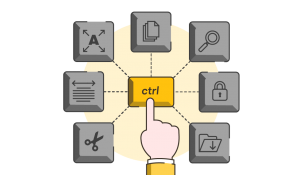
      We’ve compiled a list of the most used - and most useful - keyboard shortcuts for Google Slides, so you can create amazing presentations that are quicker, smarter and slicker than ever before!

      Dec 2025
      • Comments: 11

      Google has recently introduced some long-anticipated upgrades to basic features, and some entirely new tools too. We’ve taken a look and written up a general overview of what’s new, so you can make the most of these new features and get the best out of Google Slides.

      Dec 2025
      • Comments: 2

      think-cell is a PowerPoint add-on with chart and layout automation functions. Their latest update includes big data reporting capabilities and automatic layout generation. We got a special sneak preview of the latest version, and the inside scoop on the best features of the update from CEO and co-founder Markus Hannebauer.

      Dec 2025
      24th May 2018

      Visme review 2.0

        In 2016, we reviewed Visme a piece of online software for content creation. Now that they are coming out of Beta, we thought an updated review was due!

        Dec 2025

          Microsoft has released Presentation Translator, a translation tool for PowerPoint. It’s part of the Microsoft Garage Experimental Project, so you can imagine it’s not perfect yet, but it promises big. According to the website, it is a PowerPoint add-in that allows you to add live subtitles to your presentation, and it will translate the text in your PowerPoint document. But – does it work?

          Dec 2025
          • Comments: 6

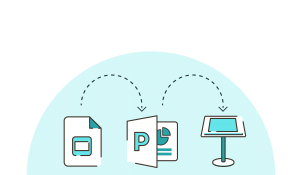
          I’ve recently been using Google Slides for a client’s conference event. It’s been really helpful for all parties involved, being able to collaborate, update and edit all in real time. But when it came down to the event itself, the client needed an offline version of the slides running in Apple Keynote...

          Dec 2025
          • Comments: 2

          Does your PowerPoint run really slowly? Mine did. Particularly the animation pane, and slides with lots of graphics (especially vector graphics). Office 2013 was fine, then Office 365 (with PowerPoint 2016) was ridiculously slow. There might be a simple fix to help...

          Dec 2025
          • Comments: 7

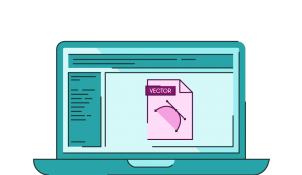
          Although it has been possible for a long time, using vector files in PowerPoint has recently become significantly easier. Whether you want to copy something from Illustrator or add a swanky SVG element to your slide, it’s all possible and we’re here to share our secret tips with you...

          Join the BrightCarbon mailing list for monthly invites and resources

          Tell me more!