May 2026
  • Comments: 2

At BrightCarbon, we've designed custom PowerPoint templates for everyone from small businesses to global enterprises, reaching hundreds of thousands of users. Along the way, we've spotted common pitfalls that crop up again and again. The good news? Most of these issues are easy to spot, and even easier to fix. Read on for five signs your PowerPoint template needs an update, plus practical tips to get it back on track.

May 2026
  • Comments: 20

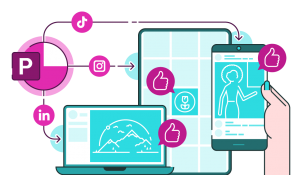
For years, PowerPoint has been synonymous with boardroom presentations and academic lectures. Its default 16:9 slide ratio is tuned for projection screens, not LinkedIn grids or TikTok thumbnails. But what if the same tool that powers your pitch decks could also become your go-to design app for social media content?…

May 2026

    Logo slides are a regular fixture of presentations, but they're often ugly and messy and tend not to do too much to build the credibility they're supposed to. Follow along to learn how to make a logo slide look neat and tidy, and if you want a stretch task, get inspired by some competitor-trouncing alternatives

    May 2026

      Icons are a fantastic and versatile way of making your presentations more visually engaging. However, icons can also end up being at best decorative or at worse distracting when not used carefully. Learn three tips for choosing the right icons for your presentations.

      Join the BrightCarbon mailing list for monthly invites and resources

      Tell me more!