Apr 2026

    Your presentation date is just around the corner. Whilst your slides are the star of the show, you - the presenter - kind of feel like tree number 3 from your primary school play (IYKYK). Discover your natural presenter persona and learn how to step into the PowerPoint limelight with these presentation techniques* *with no mention of imagining your audience naked, guaranteed.

    Apr 2026

      A PowerPoint template is the only brand element you put in the hands of the whole organisation – regardless of computer literacy, or design skill: it has to be robust enough so that it can’t be broken, but strong enough to carry your brand voice into every meeting, or leave-behind, or proposal it gets used for. Read on for a list of the essential elements every PowerPoint template needs to have.

      Apr 2026
      • Comments: 1

      Online presenting can be challenging. With more work and home distractions than ever, all competing for attention, no real-time audience feedback, it basically feels like you're just speaking into the void. But fear not. We’ve pulled together our 5 top tips for keeping your virtual audience engaged, present, and tuned in, so buckle up and turn your presentation nightmare into your presentation dream.

      Apr 2026
      • Comments: 46

      It's Christmas! After a late night with too much eggnog and brandy snaps we set ourselves a challenge to see who could come up with the wildest PowerPoint Christmas card! So it's the day after the night before, and through blurry eyes we can reveal our efforts...

      Apr 2026

        Reuse Slides is a PowerPoint feature that will be phased out by 1 January 2026. If you're a fan, read on to discover what Microsoft might replace it with, and two alternatives to Reuse Slides to get you using your on-brand, pre-approved content quickly and easily across your whole organisation

        Apr 2026

          Accessibility often ends up being an afterthought in content creation, but we’ve been thinking for a long time about how it can become part of your foundation when you’re creating presentations – or any other content – using PowerPoint. We’ve been talking to presentation guru, PowerPoint MVP, and anime fan…

          Apr 2026

            The biggest source of event stress comes from this interesting conundrum: the success of the thing you poured your life and soul into for the last few months does not depend on you. It all comes down to your presenters conveying your messages in the right way, with the right amount of energy, and the audience – that you have absolutely no control over – engaging with those messages. Good news. There is a solution: and it’s just one solution to address both challenges. It's all about the science of audience engagement and presenter anxiety, and how the content you present can help both.

            Apr 2026
            • Comments: 2

            At BrightCarbon, we've designed custom PowerPoint templates for everyone from small businesses to global enterprises, reaching hundreds of thousands of users. Along the way, we've spotted common pitfalls that crop up again and again. The good news? Most of these issues are easy to spot, and even easier to fix. Read on for five signs your PowerPoint template needs an update, plus practical tips to get it back on track.

            Apr 2026
            • Comments: 18

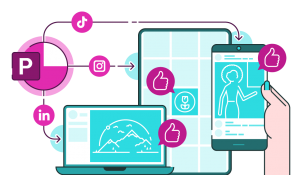
            For years, PowerPoint has been synonymous with boardroom presentations and academic lectures. Its default 16:9 slide ratio is tuned for projection screens, not LinkedIn grids or TikTok thumbnails. But what if the same tool that powers your pitch decks could also become your go-to design app for social media content?…

            Join the BrightCarbon mailing list for monthly invites and resources

            Tell me more!