30th Oct 2023
How to create PowerPoint templates that work
- PowerPoint design
- Comments: 3
Without a proper PowerPoint template, presentations can be a bit of a mess. Here are the building blocks for developing a PowerPoint template that works!
Do you copy / paste slides in PowerPoint? To be honest most PowerPoint users do, but Microsoft have just made a tiny change with some big implications. Now, when pasting a slide into a different deck, instead of pasting the whole template with it, the default behaviour is to retain the layout only from the slide you copied.
When you paste a slide into a deck you get a small menu with three options:
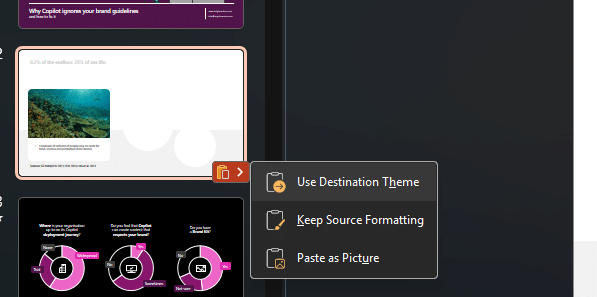
‘Keep source formatting’ would previously copy over not only the slide and its layout as is from the original deck, but also the full template it was on.
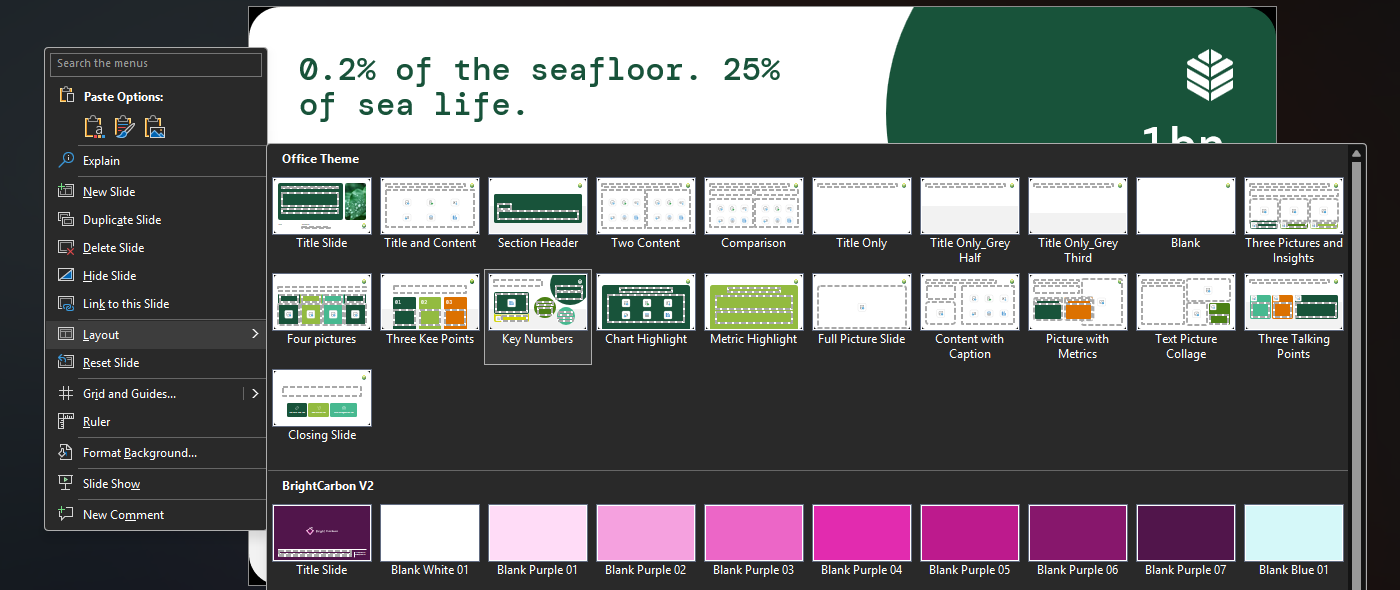
That default behaviour now copies the slide and its layout, but not the rest of the template.
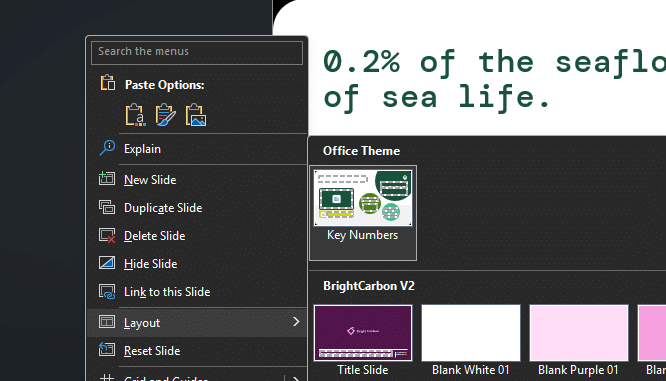
Instead of having access to all the layouts in the template, you just have the one you copied. So if you wanted to switch the layout of that slide, or even make another slide using that particular template, you would be limited to the one layout you copied.
But think about the implications for a moment:
Many users don’t start from a clean template each time, instead a recognised user behaviour in PowerPoint is to make decks using the ‘last best version’. So with each new generation of a file, there are potentially more incomplete templates in circulation, watering down the brand consistency you need from your slide content.
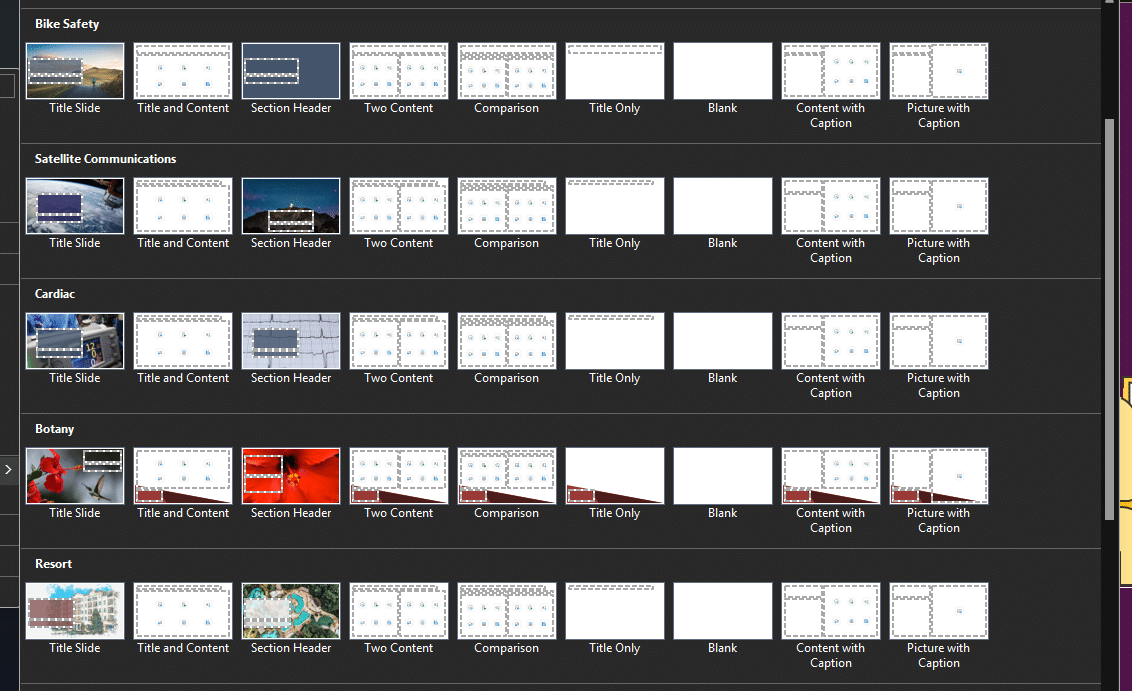
It’s quite feasible that if you regularly juggle multiple templates – maybe for events or key products within your brand – that your deck could look something like the screenshot below. Copying between decks like this now could make it difficult to make meaningful edits, or create new slides without having to go hunting for the original files.
There’s another implication too. In an era where Copilot-generated content is on the up, and results are iffy when it comes to brand adherence, adding another step that users must follow to preserve and get the most out of their template, seems like a big risk in the drive for content consistency.
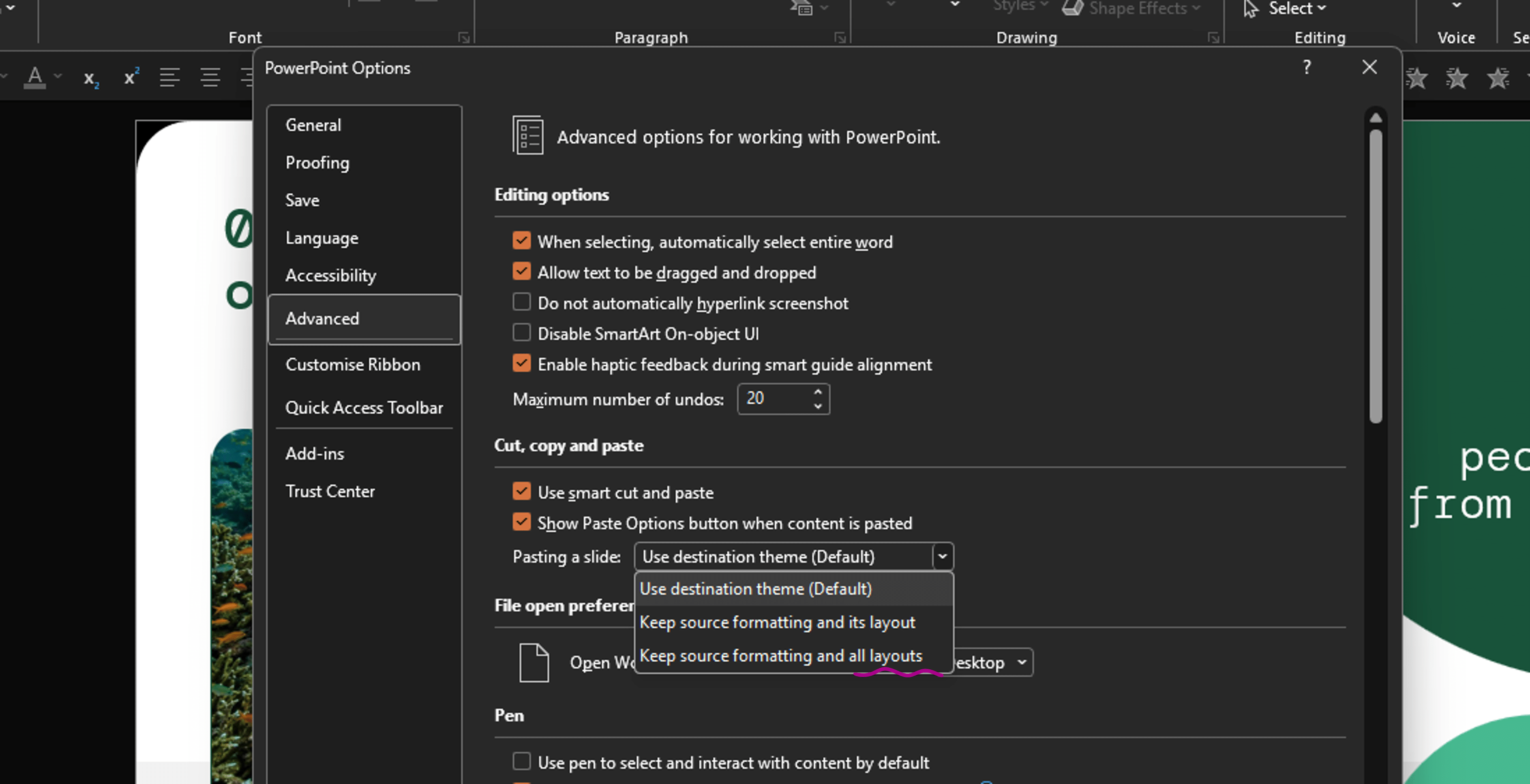
Thankfully, this can be easily fixed in PowerPoint within each individual user’s settings.
What about making this change across my organisation?
If you’re a small organisation a quick message and link to this article for your content creators will likely to the trick. If you’re in a larger organisation, I have bad news. There’s no global setting for IT admins to make this change for all users. We looked – a lot. Microsoft most likely made this change to cut down on file bloat from copying slides that sit on large templates, but it does increase the risk of template files getting split apart and broken as things get shared around further.
Here are three things you can do if you don’t want to ask several hundred content creators to update an advanced setting in PowerPoint:
The PowerPoint template is one of the only assets that nearly everyone in a company can go in and use, but it’s also often the asset that is most cobbled-together.
If you want to troubleshoot your template, we’ve listed a couple of articles below. If you want the template experts to do it for you, you can find out more about how we can help you here.
Without a proper PowerPoint template, presentations can be a bit of a mess. Here are the building blocks for developing a PowerPoint template that works!
By applying some key principles of presentation design, you can make your PowerPoint design really standout and deliver both a more ‘popping’, but also more effective presentation.
Most presentations are a cascade of text-heavy Death-by-PowerPoint slides. Online learners suffer the torture of brochures converted to click-through-eLearning. Most people now recognize that using visuals is the way to go. But how do you make visual presentations and eLearning that work? We think there are six steps you need to follow.
Join the BrightCarbon mailing list for monthly invites and resources
Tell me more!I am always astonished at how quickly BrightCarbon consultants pick up the key messages in very complex healthcare services.
Sarah Appleton Brown Practice Plus Group